Session replays you’ll actually watch
Most session replay tools record thousands of sessions that nobody watches. Here’s how Guidely takes you straight to the recordings and moments that matter: from an error, a support chat, an alert or a single search.
Gurp Parmar4 min read
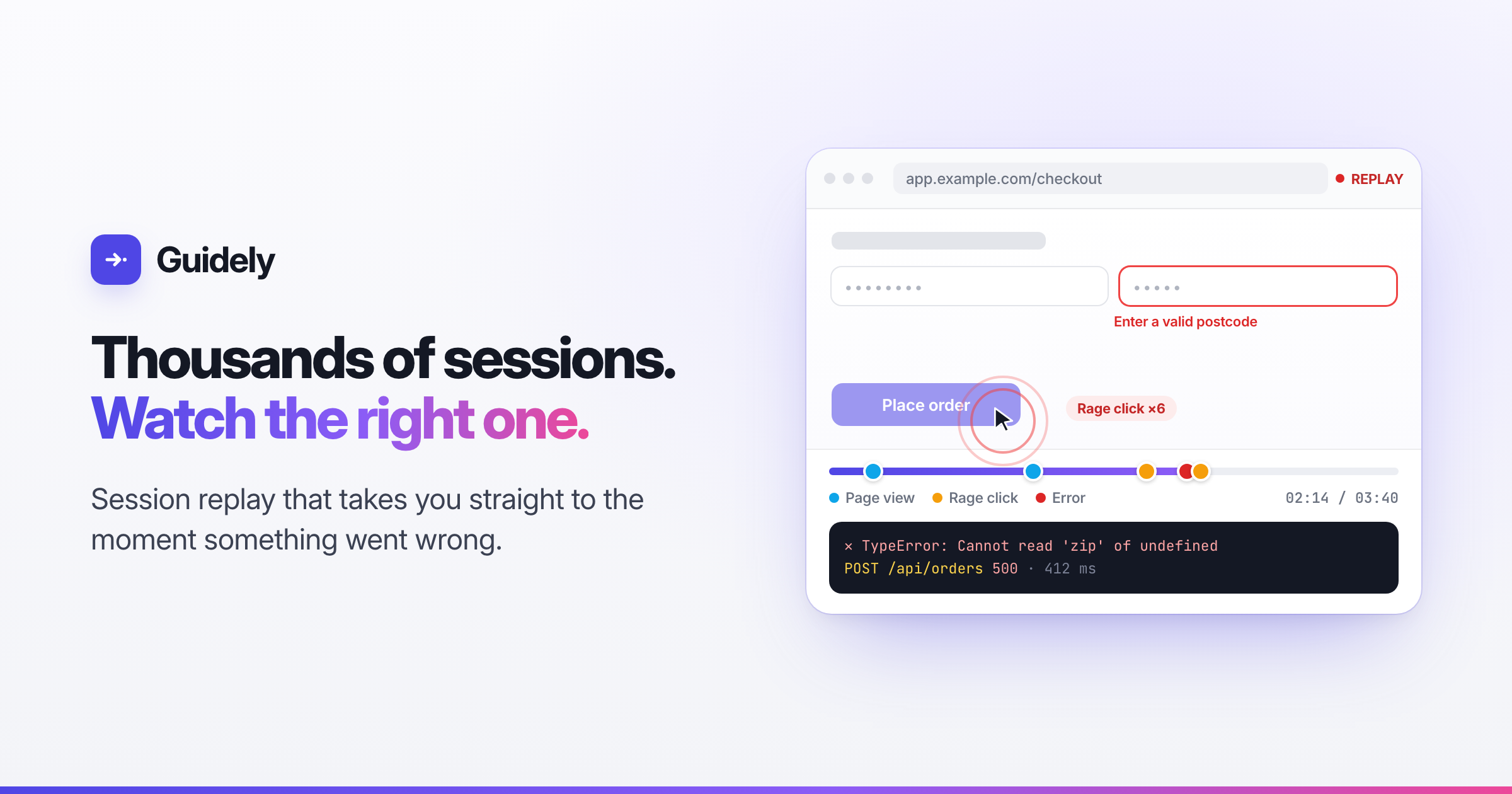
Session replay is one of the most useful tools a product team can have. Watching one real person struggle with your checkout teaches you more than a week of charts. You see where they hesitated, what they clicked and what broke.
So teams switch it on, and a month later they have twelve thousand recordings and have watched nine of them.
Recording sessions is the easy part. The hard part is knowing which one to watch and which minute of it matters. We built Guidely’s session replay around that problem.
Start from the problem, not the list
A long list of recordings sorted by date isn’t much use. In Guidely you usually reach a replay from the thing you’re actually investigating:
From an error. Every error occurrence links to the recording, opened at the moment it happened. You go from a stack trace to watching the user hit it in one click.
From a support conversation. When someone contacts support, the Inbox shows their recent sessions under Before they asked. You can watch what happened before they wrote in, instead of asking them to describe it.
From an event. Events and recordings share a session ID, so any event in the explorer opens the matching replay.
From a guide. You can filter to the sessions where people interacted with a particular tour or checklist and see how they actually used it.
Jump to the moment
A four-minute recording usually has twenty seconds that matter. The player’s timeline marks page views, rage clicks, errors, failed network requests and guide events. Click a marker to jump straight to it, and skip the idle stretches automatically.
Next to the video you get what a developer would want open:
Console output, searchable, with each line linked to the moment it was logged
Network requests, including WebSocket connections and their messages, with status and timing
An activity list of everything the user did, in order
You see the user’s frustration and the 500 error that caused it on the same screen.
Search what people saw
Sometimes you know the symptom but not the session. Filters narrow recordings by user, page, duration, “has errors”, “has rage clicks”, a specific error or a guide.
Console search goes further. Search for “payment declined” or a specific warning across every recording, and each result lists the matching lines. Click one and the player opens at that moment.
Let the right recordings find you
The best replay is often one you didn’t have to go looking for. Replay alerts send an email or Slack message when a finished recording matches your conditions:
six or more rage clicks on the checkout page
a particular error, or any failed network request
console output containing a phrase you care about
a visit to a certain page, or an interaction with a certain guide
The alert names the user, says what matched, and its Watch replay link opens the recording just before the first matching moment. Alerts are rate limited, so a bad deploy doesn’t flood your Slack. If you’ve built a useful search, Create alert from these filters turns it into a rule.
Or let Scout watch them for you
Even with alerts, nobody can watch everything. Scout, Guidely’s AI, studies finished recordings and looks for patterns across many visitors. It reports the bugs and points of friction it finds, with links to the sessions that show them. We wrote about this in More metrics won’t fix your product.
Web and mobile, in one player
The same player handles native iOS and Android apps. Mobile recording is turned on per app, so you choose which apps record. Mobile sessions show masked screen frames, taps and Guidely events on the same timeline. Alerts, storage and retention work the same as on the web.
Private by default
Recording real people’s sessions comes with responsibility, so the defaults lean towards privacy:
Typed input is always masked. Text fields, passwords and dropdown values never leave the device.
Mask or block anything else. Mark elements to have their text masked, or block them entirely so the player shows an empty box. You can also mask all text across the app.
Network data is metadata only by default: method, URL, status and timing. Sensitive query parameters such as tokens and keys are redacted. Request headers and bodies are only recorded if you turn that on, and auth headers and cookies are redacted even then.
Recordings are private. They’re stored encrypted and streamed only to signed-in members of your workspace, never through public links. They’re deleted after your retention period (30 days by default), and deleting a user’s data deletes their recordings too.
Light on your app, and on your bill
The recorder isn’t part of the main SDK bundle. It downloads only when replay is on for your project and the session is sampled in. A session is either recorded in full or not at all, so you never get recordings missing their beginning or end. If a user reports a problem, one call starts recording their session regardless of the sample rate.
On pay as you go, you’re billed per recording no matter how long it is, and the first 1,000 each month are free. On the Free plan, recording simply pauses when you reach the allowance, so you’re never billed by surprise.
Watch less, learn more
The point of session replay isn’t to watch more sessions. It’s to watch the right ones: the session behind the error, the support ticket, or the rage clicks on checkout.
Start free on Guidely. Replay comes with the same SDK as your guides, analytics and feature flags.