More metrics won’t fix your product
Most teams have more dashboards than decisions. Here’s why adding more analytics rarely changes a product, and how Scout insights turns analytics, recordings and feedback into a short weekly list of what to fix next.
Gurp Parmar5 min read
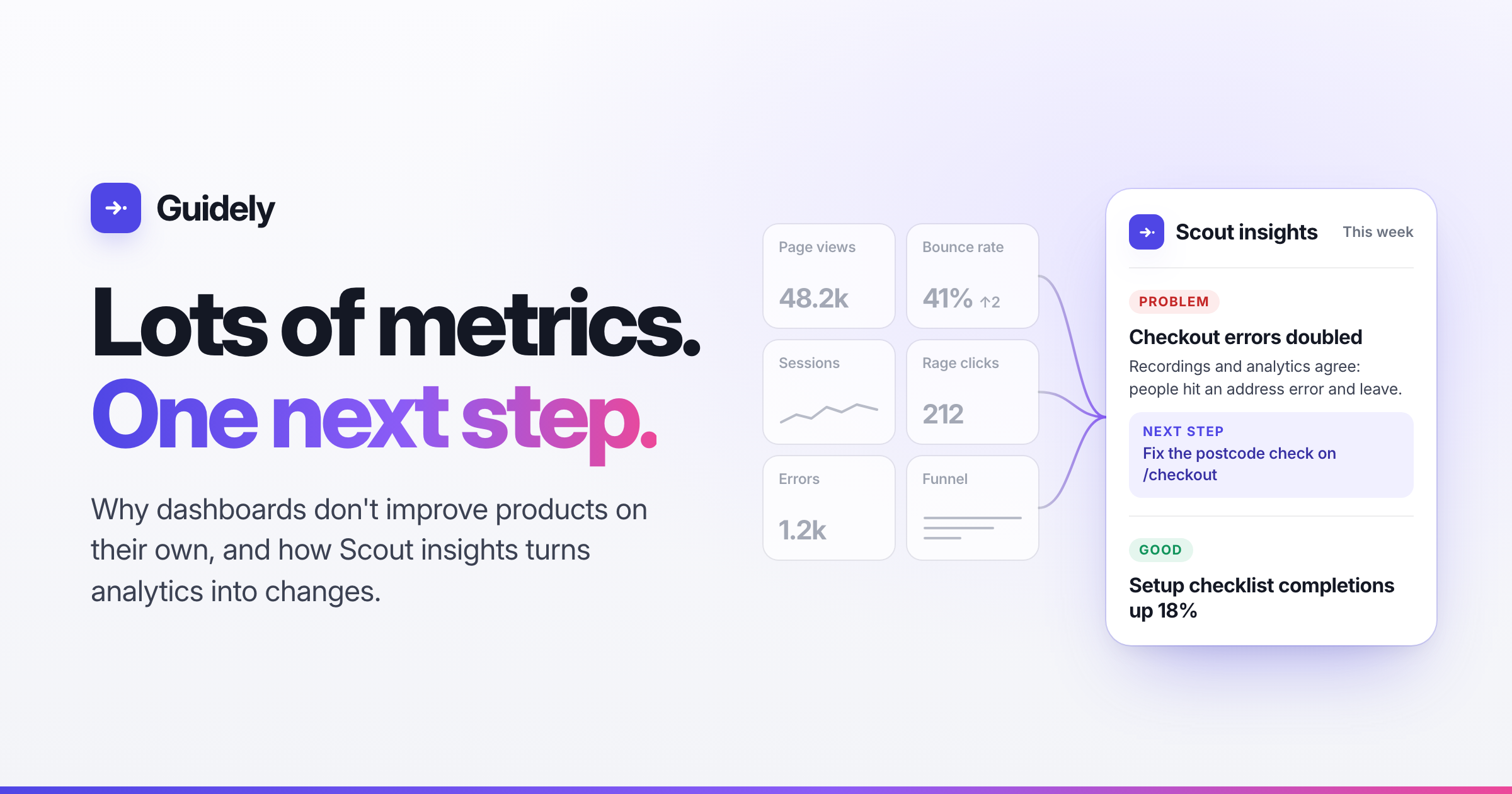
Open any analytics tool and you’ll find more numbers than you can use: daily active users, bounce rate, time on page, funnels, retention curves, heatmaps, session recordings, error counts, NPS. Every vendor’s answer to “how do I improve my product?” is another chart.
Then comes the Monday product meeting. Someone shares a dashboard, someone else says “interesting”, and the meeting moves on. The numbers get looked at, but the product stays the same.
Having too little data is rarely the problem. The hard part is getting from a number to a change, and almost nobody builds for that step.
Why dashboards don’t change products
A metric tells you what happened, not why. Bounce rate is up two points. Which page? Which people? What did they see just before they left? The chart can’t tell you, so someone has to find out, and usually nobody does.
The answer is spread across tools. The trend is in your analytics tool, the recording is in your replay tool, the stack trace is in your error tracker and the complaint is in your support inbox. Joining them up takes someone’s whole afternoon, so it happens once a quarter, if ever.
Every chart looks equally important. A dashboard with forty tiles gives the same space to a vanity metric and to a broken checkout. Nothing tells you which one to fix first.
Recordings don’t scale. Session replay is the closest most teams get to the “why”. But you have thousands of sessions and time to watch five, and the five you pick are rarely the ones that matter.
Nobody is responsible for turning a chart into a change. A dashboard only helps when someone opens it and works out what to do. If nobody does that work, the data just sits there.
What an actionable insight looks like
Compare these two:
Bounce rate: 41% (↑2)
Checkout errors doubled this week. Recordings and analytics agree: people hit an address error on /checkout and leave. Next step: fix the postcode check.
The first is a metric. The second is an insight, because it:
is specific: it names the page, the size of the change and the people it affects.
explains why: the evidence comes from more than one source, and they agree.
is ranked: it sits at the top because it matters most this week.
comes with a next step: one concrete thing to do, not “investigate further”.
can be closed: you’ll know whether the fix worked.
Producing that by hand takes an analyst, a few tools and a free afternoon. We wanted it to take nobody.
How Scout insights works
Scout is Guidely’s AI. You might know it as the messenger that answers your users’ questions. Scout insights is the same AI working for your team. It reads everything coming into Guidely and tells you what to do about it.
It reads everything you already collect. That includes page analytics, errors, session recordings, how your guides perform, what people contact support about, and the feature requests they send. Everything arrives through one SDK, so it’s all data about the same people rather than five datasets you have to stitch together.
It watches the recordings so you don’t have to. Scout studies finished session recordings and looks for patterns across many visitors. Five people rage-clicking the same disabled button is a finding. One person doing it is noise. Each finding is labelled as one of three kinds:
Bug: something is broken.
Friction: people are struggling, for example with rage clicks, a dismissed guide or a support topic that keeps going unresolved.
Trend: a notable change in usage that isn’t a problem in itself.
It compares this week with last week. Every day Scout compares the current week’s analytics with the week before, including page views, errors, guide dismissals and support topics, and flags what changed.
It writes you a brief. The Scout insights page opens with a one-line summary of how the week went for your users, followed by a short ranked list. Each item:
is marked Problem, Watch or Good
gives the numbers and says when recordings and analytics agree
ends with one next step: fix it, investigate, write a guide or article, or watch these specific recordings
links straight to the pages, recordings, errors and findings it’s based on
It also includes what’s going well. A checklist whose completions went up deserves a mention as much as a broken form does.
Findings don’t pile up. When the same problem shows up again, Scout adds the new evidence to the existing finding instead of creating a duplicate. If you mark something resolved and it comes back, the finding reopens on its own, so you know when a fix didn’t hold.
From insight to change
Because the insight and the tools to act on it live in the same place, the next step is usually a click away:
A bug links to the error and the recordings that show it happening.
Friction on a page is where you build a guide, a tooltip or a help article, aimed at the exact page where people get stuck.
A rise in support questions turns into a help article, which Scout then uses when it answers your users.
Known issues you’ve approved can be mentioned by Scout in the messenger, so users hear “we know about this” instead of getting a generic reply.
That gets you from “bounce rate is up” to a shipped fix in the same tool, often in the same week.
Built to be trusted
An AI that reads your users’ sessions has to be careful with what it sees:
Production only. Findings come only from production, so test traffic never turns into a “known issue”.
Redacted first. Masked inputs and personal details are removed before Scout reads anything, and briefs never include names, emails or IDs.
You decide what users hear. Findings can require review before Scout mentions them to users, and trends never leave your team.
Fewer charts, more changes
The test of an analytics stack isn’t how many charts it has. It’s how many changes it leads to. Most tools stop once the data is collected, and we built Scout insights to take you the rest of the way, to the fix.
If your team has more dashboards than decisions, start free on Guidely. Install the SDK once, and next week Scout will tell you what to fix first.